
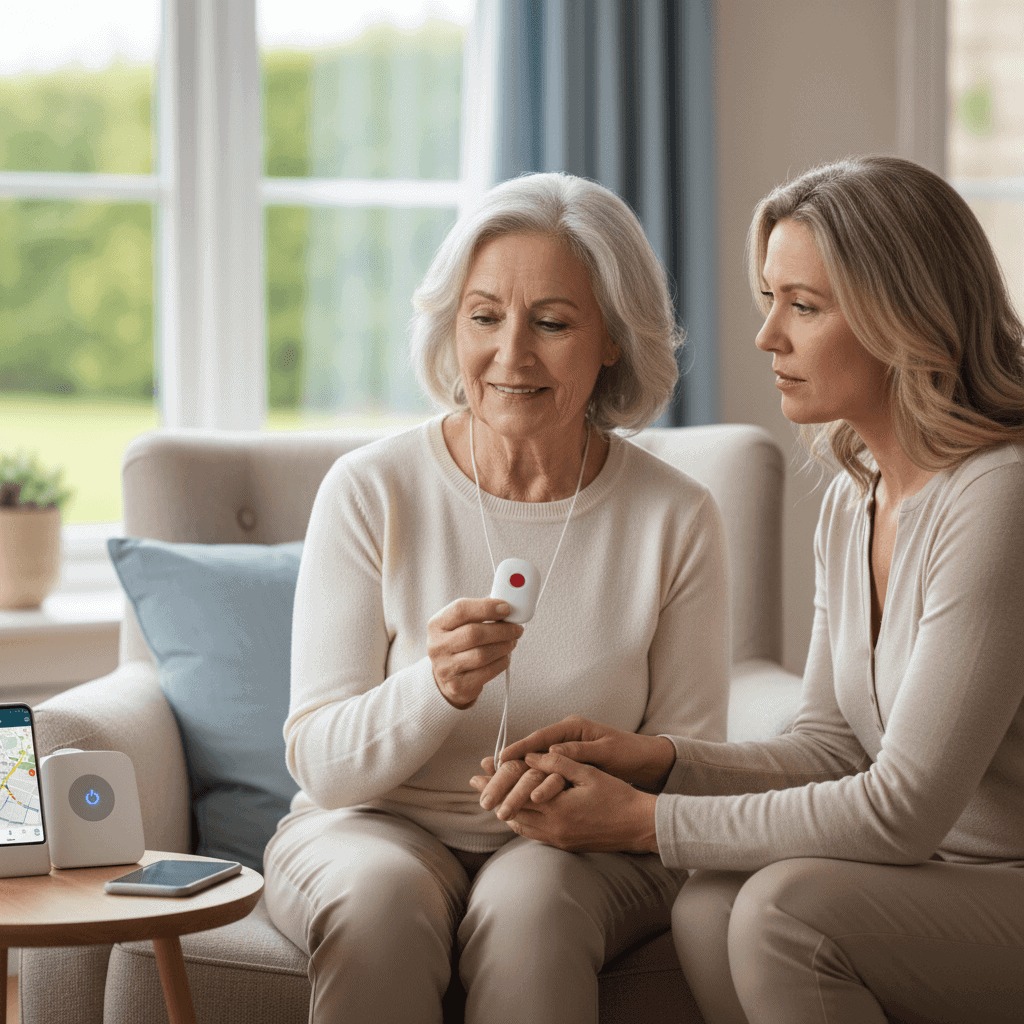
Picking a medical alert system for an older loved one can feel confusing. Most people picture a button on a necklace, but now there are simple home setups and GPS devices that detect falls. Finding the right system means understanding what truly helps and what might waste money. For anyone who wants quick emergency help and calm nerves, these tools can save lives. It’s amazing how much smart technology fits into tiny devices, making safety easy and trustworthy. This guide shows which system fits real needs and why choosing the right one is more important than it looks. Keep reading to discover how this choice can change everything.
This piece pulls together real life examples, clear signs to watch for, and concrete questions to ask vendors. Read it with your senior, if possible, so their preferences shape the final choice. A calm conversation now can prevent a stressful emergency later.
Is a Medical Alert System Right For Your Senior Loved One Quick Overview
At its core a medical alert system provides a way for a senior to call for help when they cannot reach a phone. That could be after a fall in the bathroom, during a dizzy spell at home, or while out on a walk. Systems typically pair a wearable device with a monitoring service and several fall detection options are available.
Not every senior needs a system, and some will prefer alternatives like regular check in calls from family. The right choice depends on physical health, living situation, daily routines, and the senior s comfort with technology. Use the rest of this article as a checklist to decide if it is a good fit for your household.
Key signs that a medical alert system may be needed
Look for clear indicators that risks exist and that timely help might not arrive without a device. Common signs include
- Recent falls or near falls reported by the senior or neighbors
- Unsteady gait or mobility issues that raise fall risk
- Chronic conditions that can cause sudden symptoms like fainting, low blood sugar, or seizures
- Living alone with limited nearby family or friends who can respond quickly
- Memory loss or confusion leading to missed medications or unsafe stove use
If any of these are present, a medical alert system can shorten response time and reduce the chance that a minor incident becomes a major medical event.
Types of systems and how they differ
Choosing between models comes down to where the senior spends time and how mobile they are. Major categories include in home systems and mobile systems that work outside the house.
In home systems and base stations
In home units work like classic models with a base station that connects to a landline or cellular network. The wearable triggers a call to a monitoring center when pressed. These systems usually offer long battery life and are straightforward to use, making them a good fit for seniors who spend most of their time at home.
Mobile devices and GPS enabled units
Mobile medical alert devices use cellular service and GPS so the senior can get help anywhere. These are better for active seniors who walk, use public transit, or travel. Keep in mind that mobile devices have limits on battery life and may require charging routines similar to a phone.
Fall detection explained and real world effectiveness
Automatic fall detection adds value when a senior cannot reach the wearable button after a fall. Sensors detect sudden movement patterns consistent with a fall and trigger an alert. Accuracy varies by vendor and by how the device is worn, so testing in everyday situations is important.
False alarms happen, for example when a device is dropped or the senior moves abruptly. Ask vendors about adjustable sensitivity settings and their false alarm policies. A monitoring center that confirms alerts by voice before dispatching emergency services can reduce unnecessary 911 calls.
Cost factors and subscription considerations
Cost divides into initial equipment and monthly monitoring fees. Typical ranges include low cost home units with modest monthly charges, and higher priced mobile systems that use cellular data. Ask about activation fees, battery replacement costs, and any cancellation penalties.
- Equipment rental versus purchase options
- Whether fall detection costs extra
- Contracts and trial periods for testing the service
Budget minded families often start with a no contract option and a short trial period so the senior can try the device in routine life. If budget is tight, check whether local community programs or insurance might help cover some costs.
Usability tips when choosing a system
Simplicity is the most important usability factor. A device is only useful if the senior will wear and use it. Consider these practical tips
- Choose large, clearly marked buttons that are easy to push while sitting or lying down
- Pick a wearing style the senior prefers, such as pendant, wrist band, or clip
- Check battery life and set up a simple charging plan if the device needs daily charging
- Practice drills with the senior so they feel comfortable using the device during an actual event
Also look at the monitoring center s communication style. Friendly clear voices on test calls help seniors respond calmly. Confirm that the vendor uses local emergency dispatch when required and that contact lists are easy to update by family members.
Common concerns families raise and how to address them
Families often worry about privacy, false alarms, and stigmas associated with wearing a health device. Tackle these worries directly by discussing preferences and limits before choosing a product.
- Privacy. Ask vendors how they store data and whether location is shared only during an active alert
- False alarms. Learn the vendor s process for confirming alerts and whether a false alarm will prompt a fine or penalty
- Stigma or comfort. Offer several wearing options so the senior can pick a style they like, and consider fashionable accessories that conceal the device
Open communication reduces resistance. Involve the senior in demos so they try different styles and hear sample calls from monitoring staff.
How to choose a reliable vendor and service
Choosing a vendor requires both research and practical checks. Start with online reviews but also call each vendor to judge customer service. Ask specific operational questions such as average response times and how they handle outages or natural disasters.
Look for trial periods and short term plans so you can test performance in real life. If possible compare two or three systems side by side for a week to see which the senior prefers. For more detailed steps on comparing features and contracts you can learn more here.
Practical scenarios where a system made a difference
Here are two short examples that show how medical alert systems work in daily life
- Scenario one A retired teacher who lives alone slipped in the kitchen while reaching for a pot. The pendant activated the monitoring center and emergency services arrived quickly. Because the teacher used the device regularly the process felt familiar and calm.
- Scenario two A senior couple bought a mobile device after the wife started walking in the neighborhood. One afternoon she felt lightheaded on a bench and pressed the button. The monitoring center confirmed her condition and contacted family so the husband could meet first responders at the scene.
These short stories illustrate common benefits. In both cases a quick connection to trained staff reduced uncertainty and produced timely help.
Making the final choice requires balancing risk, cost, and the senior s preferences. Start with a trial, involve the senior in testing styles, and pick a plan that can be adjusted as needs change. Keep regular checks on battery health and contacts so the system performs when needed. If you are ready to compare models and features more deeply, use the vendor comparison steps and questions in the earlier section to guide your calls.
Conclusion
Deciding whether a medical alert system is right for your senior loved one is a personal decision that combines medical risk assessment, lifestyle, and comfort with technology. Systems are not one size fits all, and the best choice stands out when it fits daily routines and receives regular testing. Look for clear features such as easy to use wearables, reliable monitoring centers, and a pricing plan you can live with. Test a device for a short period before committing long term. Talk openly with your senior about fears and preferences and put simple practices in place such as scheduled battery checks and a household emergency plan. Taking these steps helps reduce response times and gives family members a practical way to support safety without intruding on independence. If you feel ready, contact vendors for short trials and involve your loved one in each step so the final choice feels right. Making a decision now reduces stress later and helps protect the health and mobility of the person you care about.